Your Calendar
On Any Page

See your Calendar & Availability | Add & Control Calendar

Meet CalendarExtension

An Extension With your Calendar

Open your full calendar on any page that you're on,
Full control, Full access. see your availability and find times
with filters easily. See your days schedule in a blink
and join meetings in a click.

Calendar

Schedule

Availability

Works across Day / Week / Month

Works across Day / Week / Month

Real-time Calendar Sync
Coming Soon

Custom Tags

Categories and label assignment tools to allow you to make your own tagging systems

Coming Soon

Reusable Templates

Save templates, give tasks descriptions, the same attendees, colors and tags.

Coming Soon

Accurate Task Sizing

Make Tasks change in height on the calendar depending on their duration,
A big Task card for a big Task

We are currently talking to users about what they want for Tasks in Google. Join and be part of the discussion. Here are a few of the features we have coming for Google Tasks, We rely on the community to help us choose features, so we know we are building this for you

See Our Features ⩔

This Is My First Release of ColorKit. It currently has 3 main features ready to use, I am actively improving them and adding more that my users want.

Choose any color

Default task buttons are easy to miss. ColorKit lets you set task colors on any calendar. So tasks pop when it matters.

Give Google Tasks Any Color

Color Blocking Finally Here

Don't clutter your calendar with events everywhere, make visual blocks instead

Create Visual Time Blocks

Color Blocking Finally Here

Don't clutter your calendar with events everywhere, make visual blocks instead

Create Visual Time Blocks

Color Blocking Finally Here

Don't clutter your calendar with events everywhere, make visual blocks instead

Create Visual Time Blocks

Now With Individual Time Blocks

New: After Many requests one-off blocks for specific dates are now available perfect for unique weeks and focus days.


Choose any color

Any Task Any calendar

Make your own palettes

Color Code Your Days

Give Monday a mood and Friday a vibe

Choose any color

Any Task Any calendar

Make your own palettes

Color Code Your Days

Give Monday a mood and Friday a vibe

Choose any color

Any Task Any calendar

Make your own palettes

Color Code Your Days

Give Monday a mood and Friday a vibe

Adam

Meet The Team

Hi 👋 I'm Adam Hurley

I built this extension for myself — I’m not a big organization or Google, just a solo-developer trying to make useful apps that help people.

After using it for a year and seeing others on Reddit share the same frustrations, I decided to take a risk and turn it into a real product others can try.

Since this is my first personal project released publicly, I’m invested in feedback and improvements. I welcome any suggestions that help make it better for everyone. Hope it helps you.

Conception

Heading

As a long-time Google Calendar user, I wanted to create tools that make it easier to actually work with my calendar — not against it.

While building my main project, Calendar Extension, I found myself using time-blocking more and more. My calendar turned into a mess of fake “placeholder” events just to stay organized. So I built a new tool to fix that — an extension that adds simple, visual blocks instead.

That’s how ColorKit was born — a lighter, more visual toolkit for Google Calendar.

First Users

Heading

After releasing the first version, I reached out to early testers and instantly got amazing feedback and feature ideas.

The next big step became clear — tasks. Starting with coloring and day-tinting felt right, but users also wanted smarter ways to plan and label their weeks.

Tasks grew into something bigger: templates, tags, and tools to turn Google Calendar into a real workflow hub.

Today - First Launch

Heading

With the three main features now live, I’m releasing ColorKit for others to test, explore, and help shape what comes next.

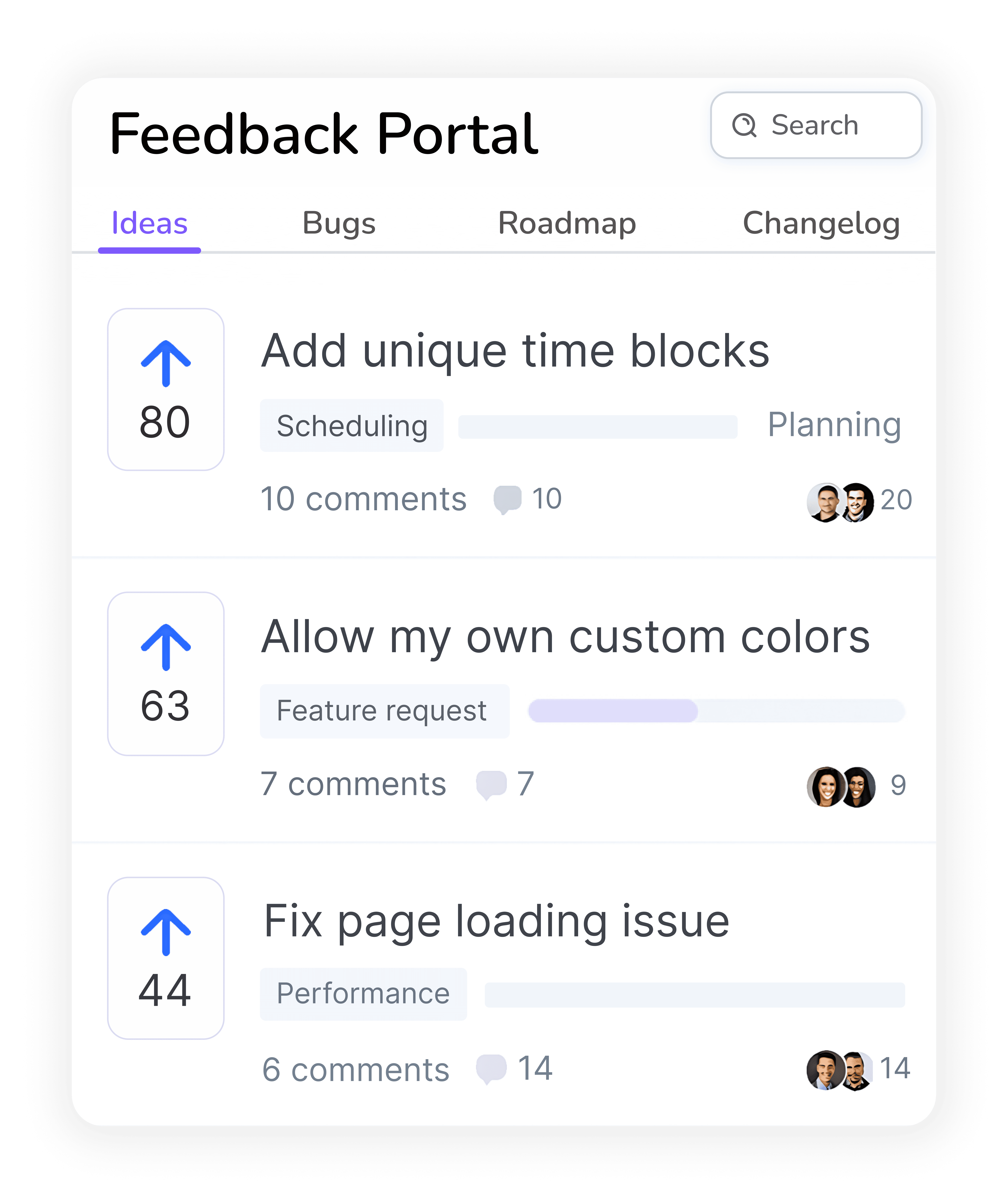
Have ideas to improve Google Calendar? Share them in the feedback board, upvote others, and together we’ll build the ultimate toolkit for Google Calendar.

Get Color Kit

Who's this Extension For?

I'm still improving ColorKit. This first-launch build is for people who want to customize Google Calendar to fit how they work. Expect a few quirks—we ship often and fix fast. Try everything free for 7 days, and use the feedback portal to request changes or report any bugs or problems to be fixed quickly.

Early adopters who don't mind occasional bugs or rough edges

Small teams who prefer simple, privacy-friendly tools

Ideal for power users who like giving feedback

Your Queries, Simplified

Questions? Answers!

Find quick answers to the most common questions about our platform

What is ColorKit ?

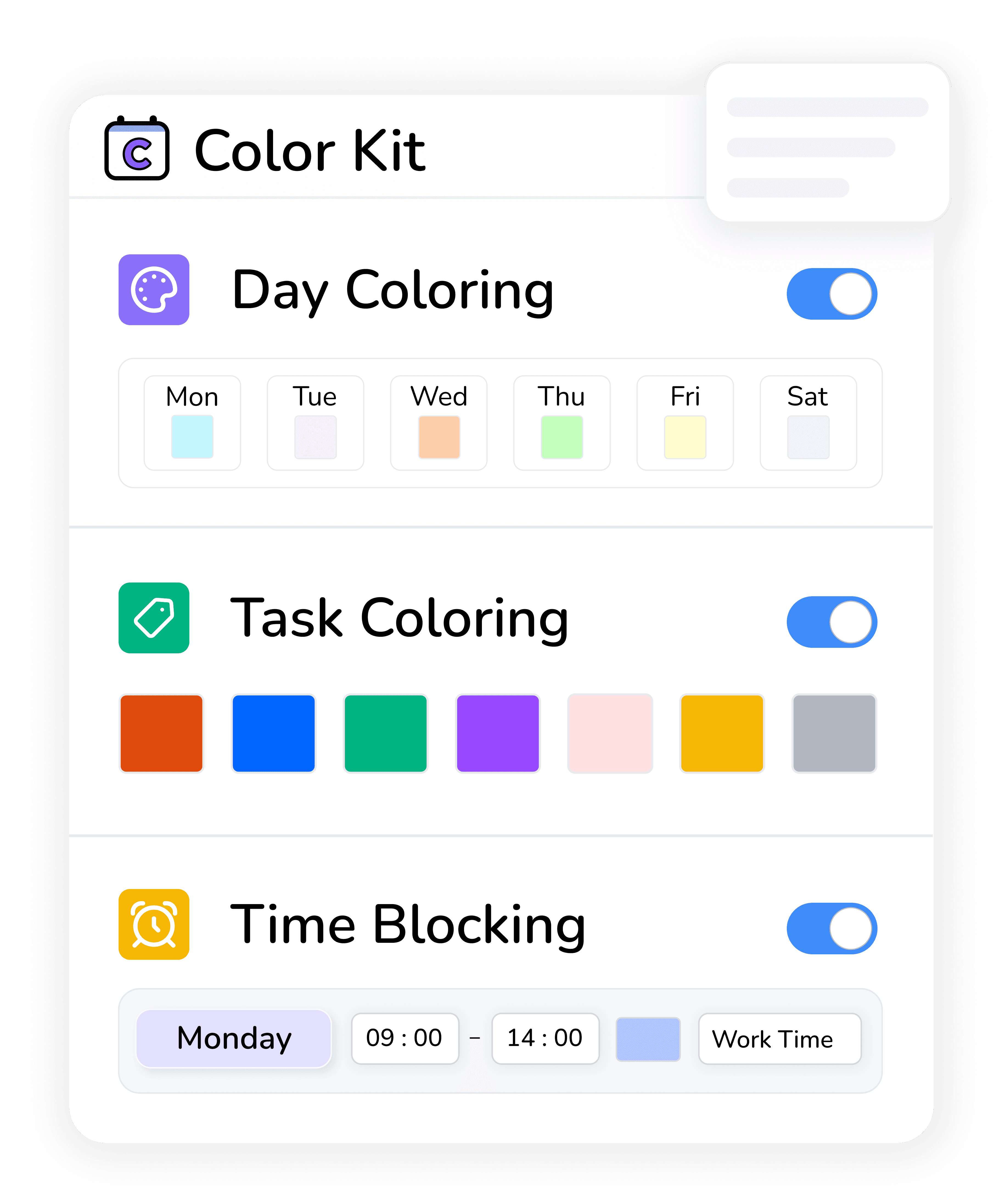
ColorKit makes Google Calendar readable at a glance. It adds three things the native UI doesn’t. (1) Day-column colors so each weekday is always the same tint across Day/Week/Month. (2) True any-color task coloring so you’re not stuck with Google’s 1 color for every list. (3) Visual time-blocks (recurring or one-off) that overlay your schedule without creating events. It’s fast, lightweight, and privacy-first (runs entirely in your browser). ColorKit is part of the broader Calendar Extension project at calendarextension.com.

Do you Take or Share any Data ?

No. ColorKit runs 100% client-side. We don’t read, collect, or transmit your calendar contents. Style preferences stay in your browser. Account/billing basics are handled in our portal (payments via Paddle). Only your computer receives any calendar data we receive nothing except to handle payments and subscriptions!

Is There a Free Trial ?

Yes! We have a 7 day free trial and a 7 day money back gurantee so you can test Colorkit before committing

Which browsers and devices are supported?

Google Chrome on desktop only. (No mobile support and no other browsers yet.)

Can I request New Features ?

Absolutely. Use Feedback / Request a Feature from the extension menu or the portal. We prioritize clarity, speed, and zero-clutter improvements.

How Do Day Colors Work

Two ways: 1. You set a color per task list, every task you create instantly changes color You set a color per weekday; the entire column is tinted in Day/Week/Month views. Monday always looks like Monday, Friday like Friday — instant orientation.

Can I Color Google Tasks?

Yes! two ways: 1. You set a color per task list, every task you create instantly changes to that color 2. You want a different color for the task where you can click the task and choose any color for that one.

What are “time-blocks”?

Simple overlays for focus/energy themes — e.g., “Deep Work 9 –1 3” — that can repeat weekly or be unique to a single day. They’re visual only; no calendar events are created.

Is ColorKit affiliated with Google?

No. ColorKit is an independent product, developed under the Calendar Extension brand (calendarextension.com), and is not affiliated with Google LLC.

Feel free to mail me for any enquiries : adam@calendarextension.com

Your Queries, Simplified

Questions? Answers!

Find quick answers to the most common questions about our platform

What is ColorKit ?

Do you Take or Share any Data ?

No. ColorKit runs 100% client-side. We don’t read, collect, or transmit your calendar contents. Style preferences stay in your browser. Account/billing basics are handled in our portal (payments via Paddle). Only your computer receives any calendar data we receive nothing except to handle payments and subscriptions!

Is There a Free Trial ?

Yes! We have a 7 day free trial and a 7 day money back gurantee so you can test Colorkit before committing

Which browsers and devices are supported?

Google Chrome on desktop only. (No mobile support and no other browsers yet.)

Can I request New Features ?

Absolutely. Use Feedback / Request a Feature from the extension menu or the portal. We prioritize clarity, speed, and zero-clutter improvements.

How Do Day Colors Work

Two ways: 1. You set a color per task list, every task you create instantly changes color You set a color per weekday; the entire column is tinted in Day/Week/Month views. Monday always looks like Monday, Friday like Friday — instant orientation.

Can I Color Google Tasks?

Yes! two ways: 1. You set a color per task list, every task you create instantly changes to that color 2. You want a different color for the task where you can click the task and choose any color for that one.

What are “time-blocks”?

Simple overlays for focus/energy themes — e.g., “Deep Work 9 –1 3” — that can repeat weekly or be unique to a single day. They’re visual only; no calendar events are created.

Is ColorKit affiliated with Google?

No. ColorKit is an independent product, developed under the Calendar Extension brand (calendarextension.com), and is not affiliated with Google LLC.

Feel free to mail me for any enquiries : adam@calendarextension.com

Your Queries, Simplified

Questions? Answers!

Find quick answers to the most common questions about our platform

What is ColorKit ?

ColorKit makes Google Calendar readable at a glance. It adds three things the native UI doesn’t. (1) Day-column colors so each weekday is always the same tint across Day/Week/Month. (2) True any-color task coloring so you’re not stuck with Google’s 1 color for every list. (3) Visual time-blocks (recurring or one-off) that overlay your schedule without creating events. It’s fast, lightweight, and privacy-first (runs entirely in your browser). ColorKit is part of the broader Calendar Extension project at calendarextension.com.

Do you Take or Share any Data ?

No. ColorKit runs 100% client-side. We don’t read, collect, or transmit your calendar contents. Style preferences stay in your browser. Account/billing basics are handled in our portal (payments via Paddle). Only your computer receives any calendar data we receive nothing except to handle payments and subscriptions!

Is There a Free Trial ?

Yes! We have a 7 day free trial and a 7 day money back gurantee so you can test Colorkit before committing

Which browsers and devices are supported?

Google Chrome on desktop only. (No mobile support and no other browsers yet.)

Can I request New Features ?

Absolutely. Use Feedback / Request a Feature from the extension menu or the portal. We prioritize clarity, speed, and zero-clutter improvements.

How Do Day Colors Work

Two ways: 1. You set a color per task list, every task you create instantly changes color You set a color per weekday; the entire column is tinted in Day/Week/Month views. Monday always looks like Monday, Friday like Friday — instant orientation.

Can I Color Google Tasks?

Yes! two ways: 1. You set a color per task list, every task you create instantly changes to that color 2. You want a different color for the task where you can click the task and choose any color for that one.

What are “time-blocks”?

Simple overlays for focus/energy themes — e.g., “Deep Work 9 –1 3” — that can repeat weekly or be unique to a single day. They’re visual only; no calendar events are created.

Is ColorKit affiliated with Google?

No. ColorKit is an independent product, developed under the Calendar Extension brand (calendarextension.com), and is not affiliated with Google LLC.

Feel free to mail me for any enquiries : adam@calendarextension.com

PRICING

Pricing plans

Yearly

$34.99

/ year

Everything in starter plan

Task Coloring

Time Blocking

Day Coloring

Request your Own Features

Support the Project

Yearly

$34.99

/ year

Everything in starter plan

Task Coloring

Time Blocking

Day Coloring

Request your Own Features

Support the Project

All proceeds go to supporting the project